Customizing WebAuth Login Page
You can customize the WebAuth login page: the background images can be changed on the login pages. The default WebAuth login page is as follows:
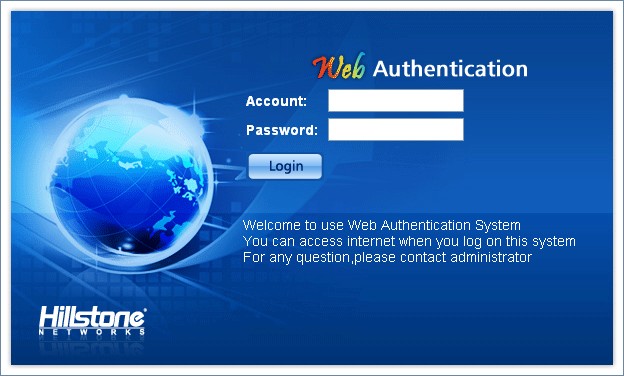
To customize WebAuth login page, take the following steps:
- On the Navigation pane, click Configuration > Network >User Identification to visit the WebAuth Parameter Configuration page.
- On the Task tab in the right auxilary pane, click Customize.
- In the WebAuth Login Page Configuration dialog, type a description into the Description box, and click OK.
- Click Browse and choose the background picture you need in your local PC. Click Upload. The name of WebAuth background pictures must be login_page_bg_en.gif. The size of pictures must be 624px*376px.
- You can restore to the default WebAuth login page by clicking Restore Default. In the Restore Default dialog, select English and click OK to restore the English WebAuth login page.